// features

Everything a team needs, on one machine.

Tickets, agents, review, workflows and a project manager, working together on your own computer. Here is what each part does for you.

// tickets and the board

Write the ticket. Agents take it from there.

A ticket says what should change and how you'll know it's done. Put tickets in order and start them, or let the project start them for you. The board shows who has each one, and what waits for you.

  • A backlog and a board. Rank what's not picked yet, then follow To do, In progress and Done, each card with its pull request and CI.
  • Parts for big work. Split a ticket into parts, each started, reviewed and merged on its own, in order.
  • Priorities, labels and blockers. A blocked ticket waits, and tickets that would change the same code are flagged before they start.
  • Auto-start. The project starts its next ticket, by priority or by rank, whenever it has room under its cap.
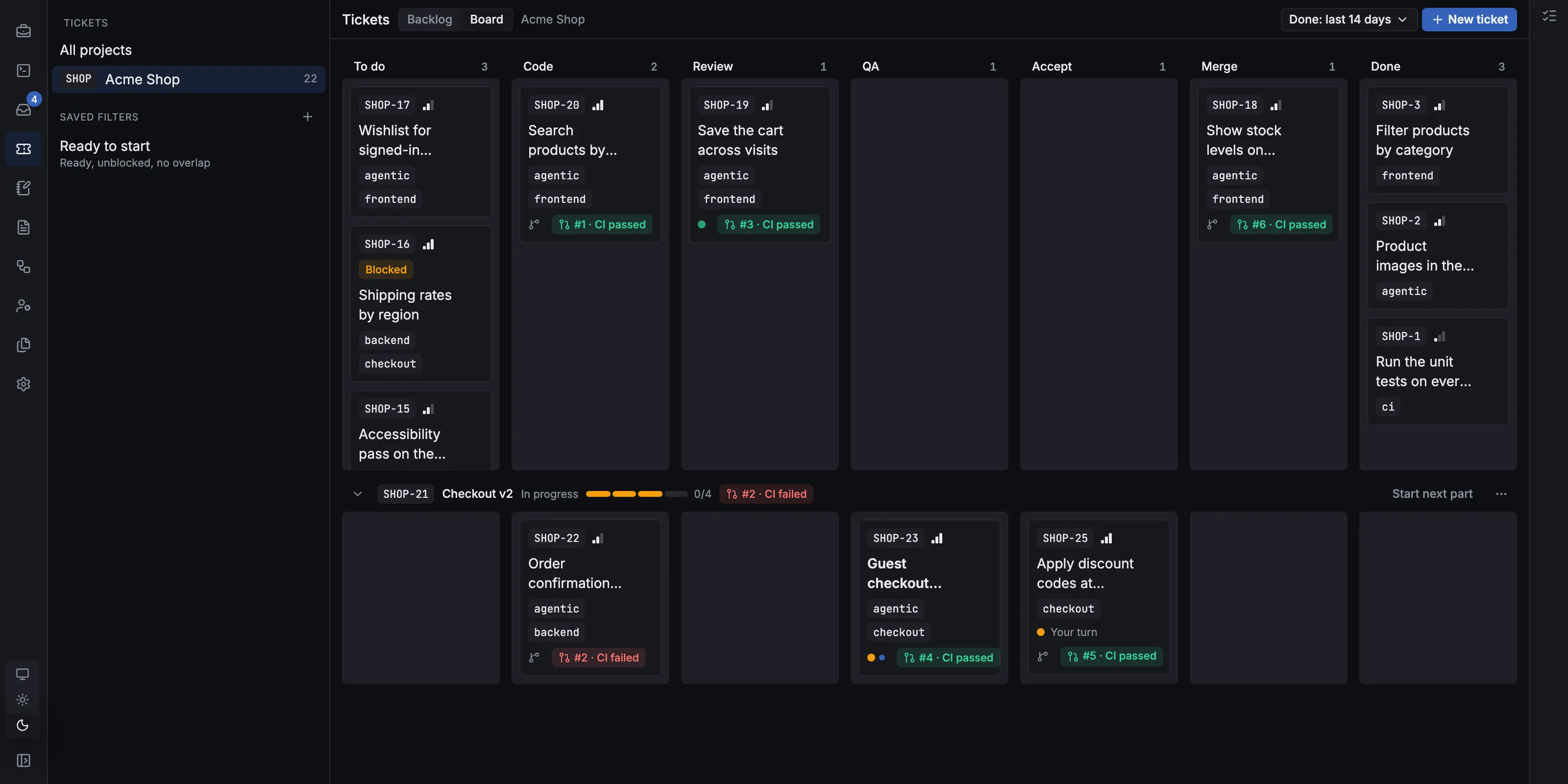
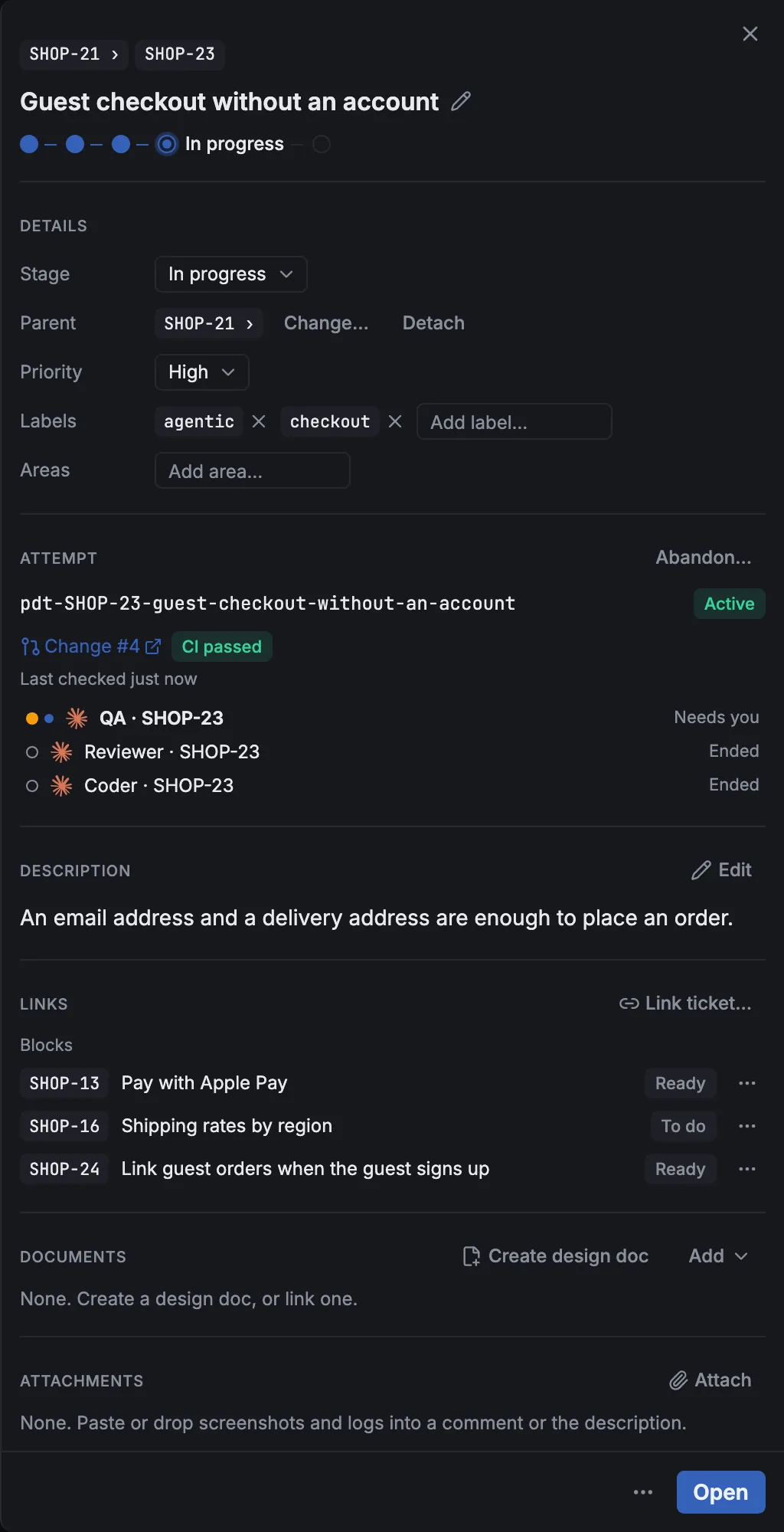
The board of a sample shop project: tickets in To do, Code, Review, QA, Accept, Merge and Done, with pull request and CI badges.A ticket: a part of the Checkout v2 ticket, in QA, with its branch, change request, passing CI, its QA agent and the tickets it blocks.
// agents and sessions

Bring your own agents, and keep them running.

PDT runs the agents you already use, signed in with your own subscriptions. Every session lives in a daemon on your machine, beside the tickets, runs and changes it belongs to.

  • Claude Code, Codex, Devin, Grok, Cursor, OhMyPi and Antigravity, and any other agent that speaks the Agent Client Protocol (ACP).
  • A conversation or a terminal. Read messages, tool calls and each edit's diff, or use the agent's own terminal. Switch whenever you like.
  • Sessions that survive restarts. Conversations keep their whole history; terminals start again on the same conversation.
  • A worktree per change. Each ticket gets its own branch and worktree, and Run starts a dev server or the tests for any branch on its own port.
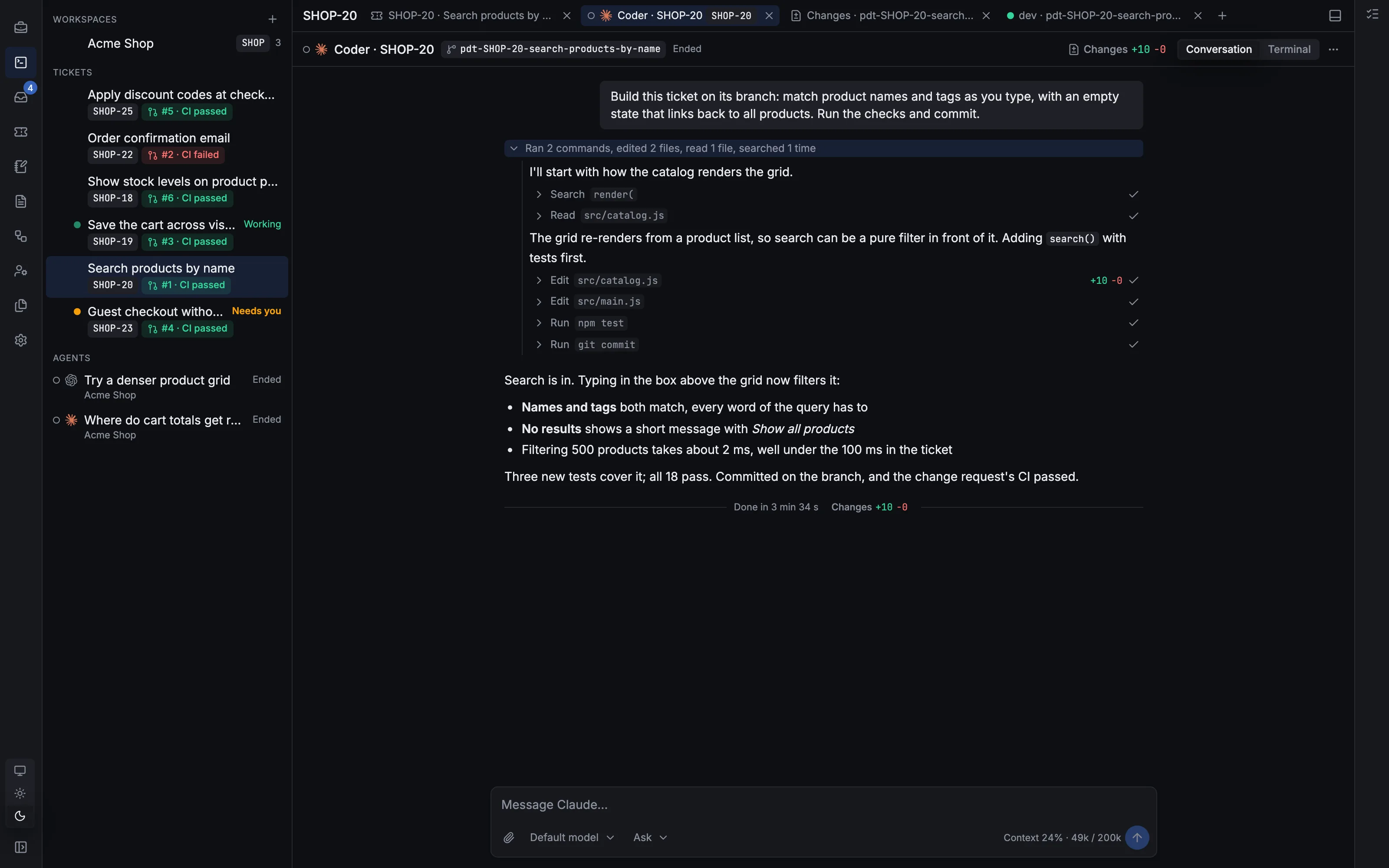
The Sessions view: a ticket's workspace open on its Coder agent's conversation, with the tool calls it made and its summary, beside the sidebar's ticket workspaces with their pull request and CI badges, marked Working and Needs you, and the user's own agents.
// review and merge

Review like a pull request. Your comments go straight to the agent.

The Changes view shows a branch's diff file by file. Comment on a line, send your comments, and the agent working on the branch gets them and goes back to work.

  • A PR-style diff. Split or unified, file by file, with Viewed to keep your place.
  • Line comments back to the agent. Drafts until you Send feedback, then one message with the file and lines of each. Threads stay on their lines as the code changes.
  • Approve and merge. Turn on auto-merge or add it to the merge queue on GitHub, or merge on your machine.
  • CI and conflicts watched for you. A failed run, a conflict or a drop from the merge queue goes to the agent to fix; with no agent on it, to you.
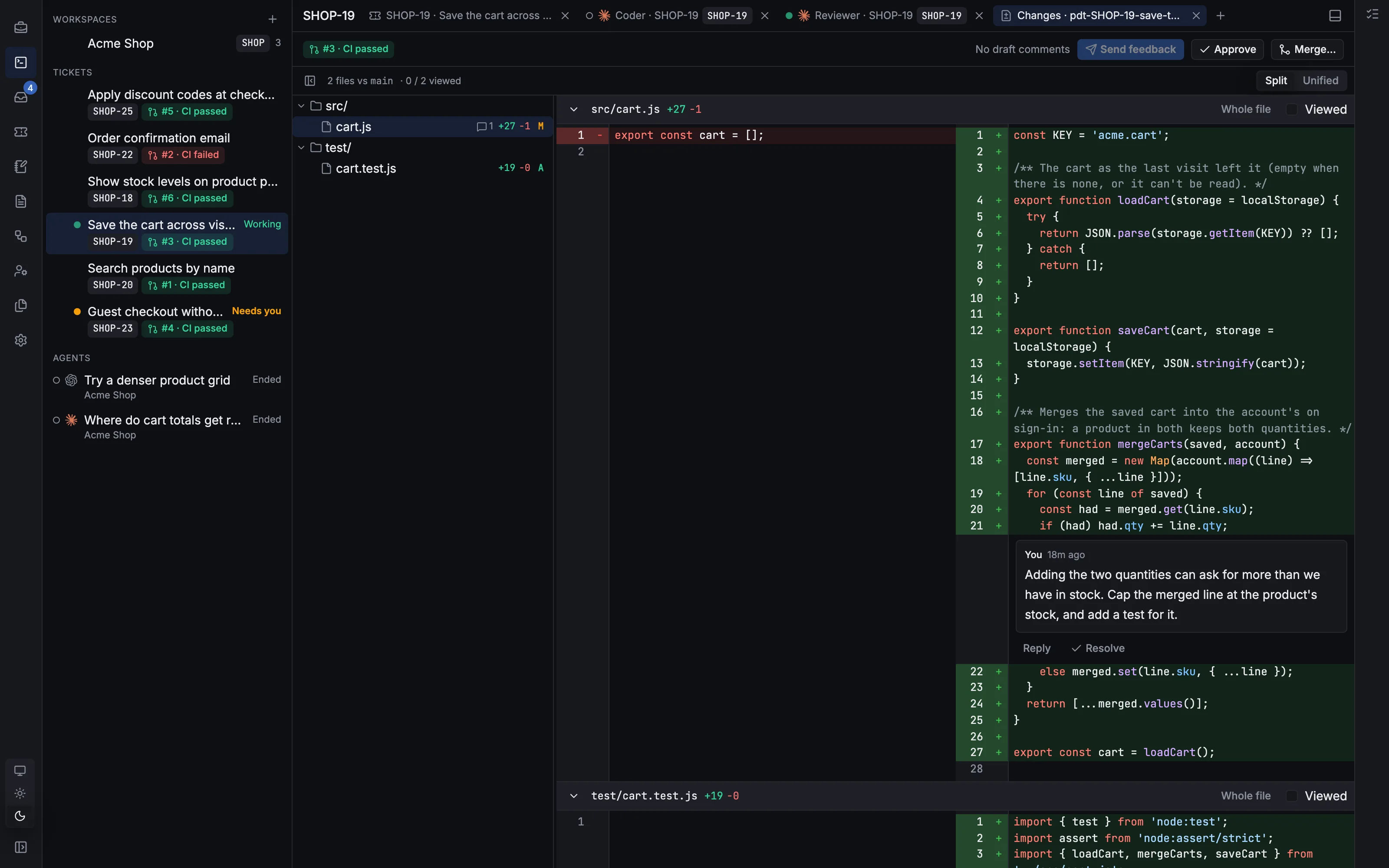
The Changes view of a branch: a split diff of src/cart.js, with a line comment on how two carts' quantities are merged, and Send feedback, Approve and Merge buttons.
// workflows

A team process that runs itself.

Workflows act when something happens. The Pipeline hands each ticket from a Coder to a Reviewer to QA, then to you, then to merge. Others tell agents when CI fails, triage new issues, or run every night.

  • Coder → Reviewer → QA. The Pipeline's stages each have their agent (or you), and send work back with notes when it isn't right.
  • Templates for CI and pull requests, tickets, issues, notifications and releases, or start from scratch.
  • A visual builder. Triggers, steps, conditions and gates that ask you in the Inbox, as a graph. Try one with a dry run.
  • Triggers and plugins. Ticket and pull request events, new GitHub issues and pull requests, schedules and webhooks; plugins such as Jira and Discord add their own.
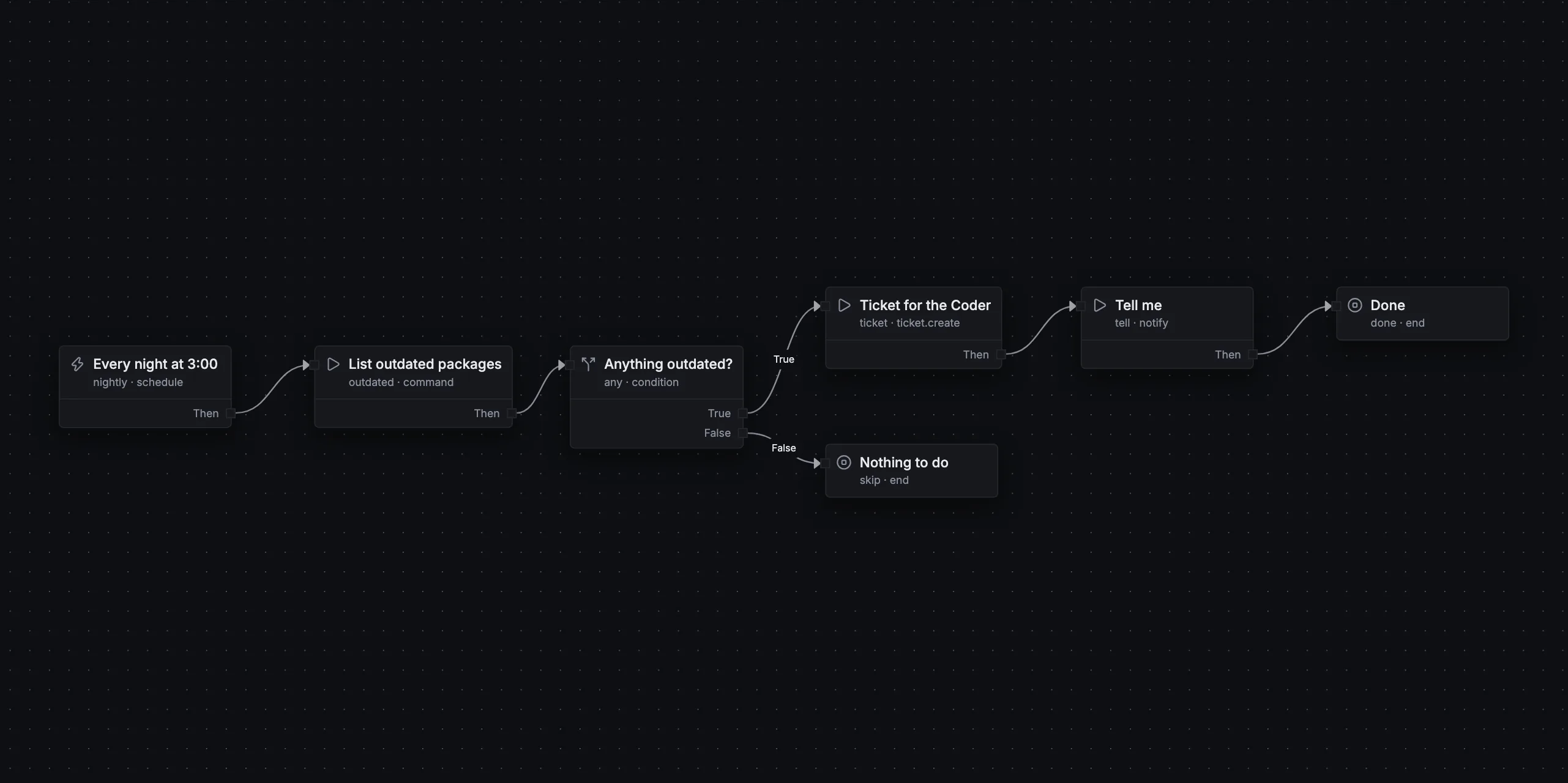
A workflow graph: every night at 3:00, list outdated packages; if any, file a ticket for the Coder and tell me, else nothing to do.
// the PM

A project manager you can talk to.

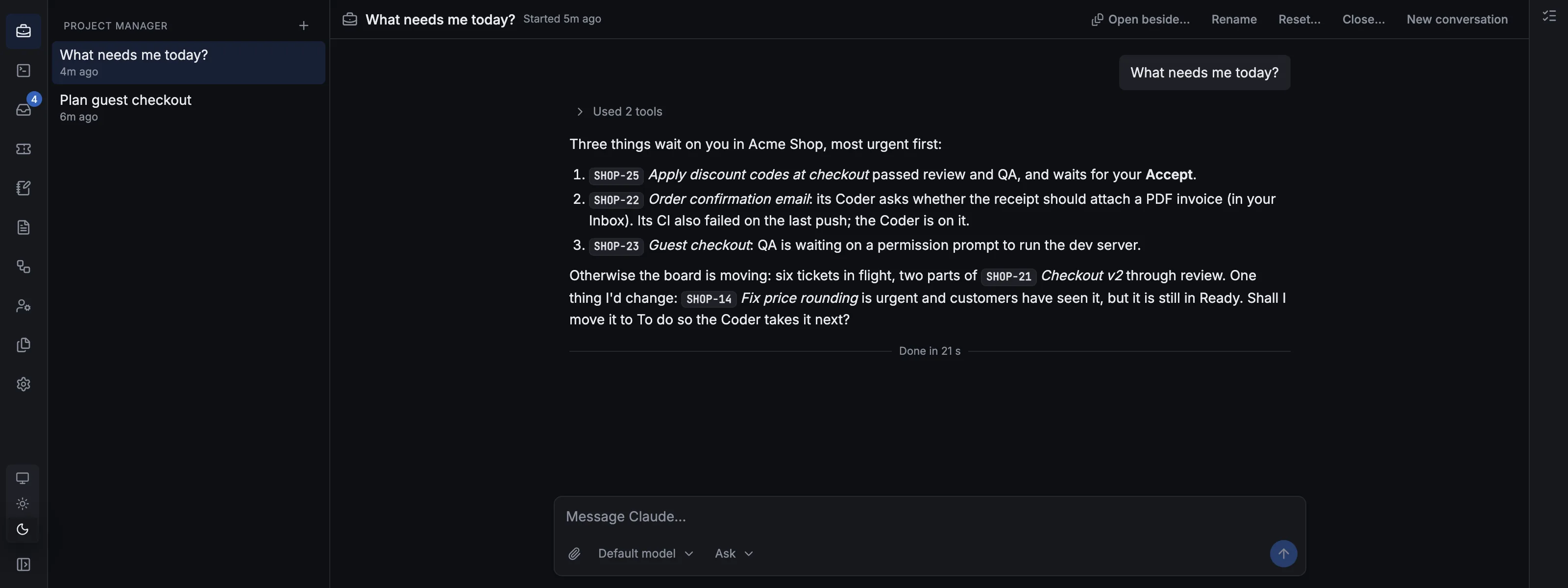
The PM is an agent you talk to about the work rather than the code. It sees every project, its tickets and what's in flight, and it plans, writes and tidies tickets for you.

  • "What needs me?" It reads the board, pull requests and CI, running agents and the Inbox, and tells you.
  • Plans into tickets. Describe a feature; it drafts the tickets, split into parts and linked in order, and creates them once you agree.
  • Acts across projects. It messages an agent, runs a workflow, or writes one for you to accept.
  • Asks before it acts. Before it changes a ticket, messages an agent or runs a workflow, it shows you a card to allow or deny. Reading never stops you.
A PM conversation: asked "What needs me today?", the PM lists a ticket waiting for Accept, an agent's question and a QA agent waiting on a permission, and suggests starting an urgent bug next.
// your phone

Your team, from your phone.

PDT's page fits a phone. Reach it over Tailscale wherever you are, and answer what waits for you in a minute between other things.

  • The same app, over Tailscale. Only you can reach it on your tailnet, and no port is opened to the internet.
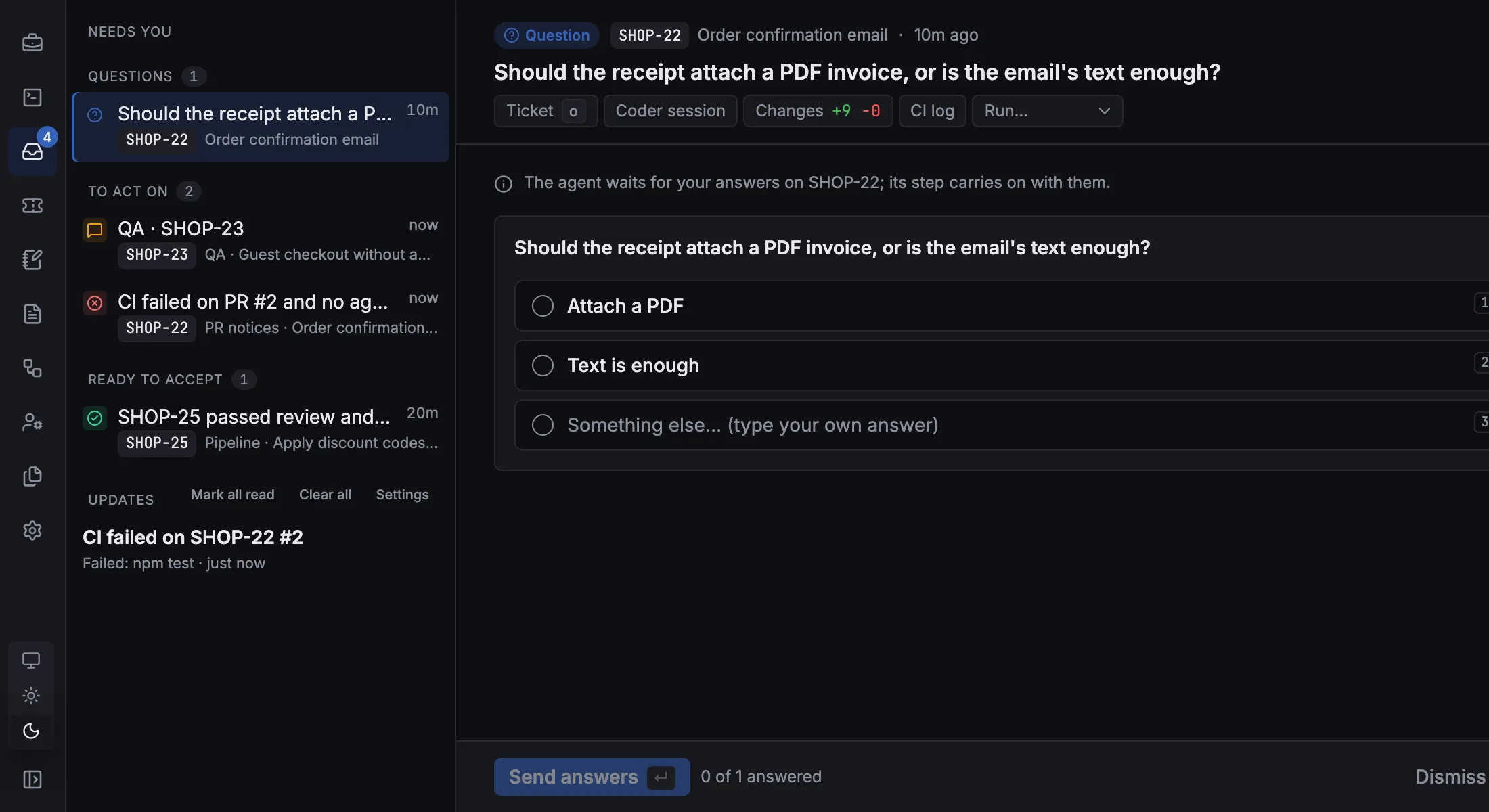
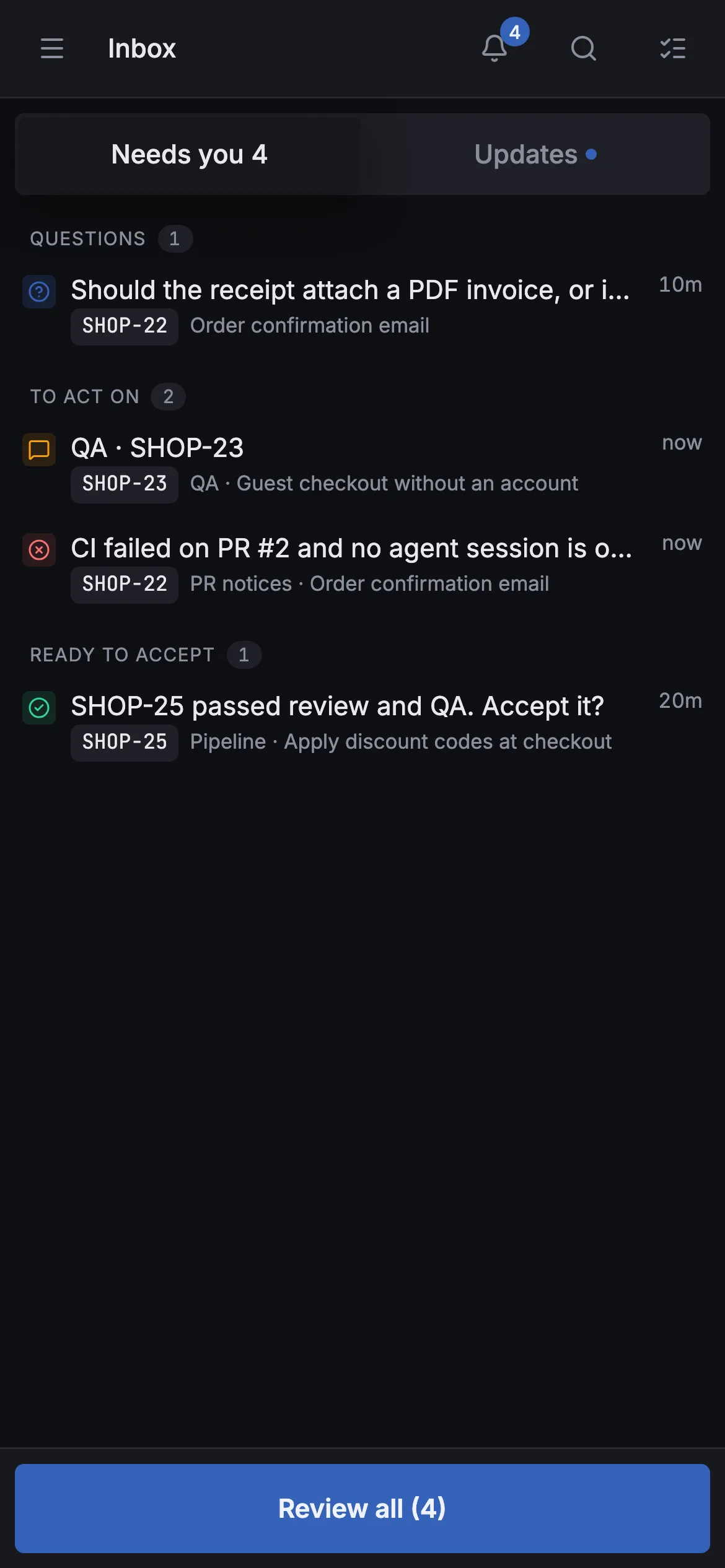
  • The Inbox. Agents' questions, sessions waiting on a permission, and tickets ready for your Accept, in one list.
  • Approvals on the go. Review all steps through them one at a time, with the choices in a bar at the bottom.
  • Phone layouts for tickets, the board and reviews, and a key bar for terminals.
The Inbox: an agent's question with its suggested answers, beside a list of what needs you: a question, a session waiting, an unheard CI notice and a ticket ready to accept.The Inbox on a phone: questions, sessions waiting, notices and a ticket ready to accept, with a Review all button.
// safe by default

Agents do the work. You keep control.

Agents get room to work, and the guard rails stay where they matter: on your code, on what merges, on your keys and on text from people you don't know.

  • Every change on its own branch. Each ticket is built in its own worktree, away from your checkout and the base branch.
  • Nothing merges without you, unless you say so. Tickets wait for your Accept; the agentic label, and each project's rules on who merges, approvals and green CI, are yours to set.
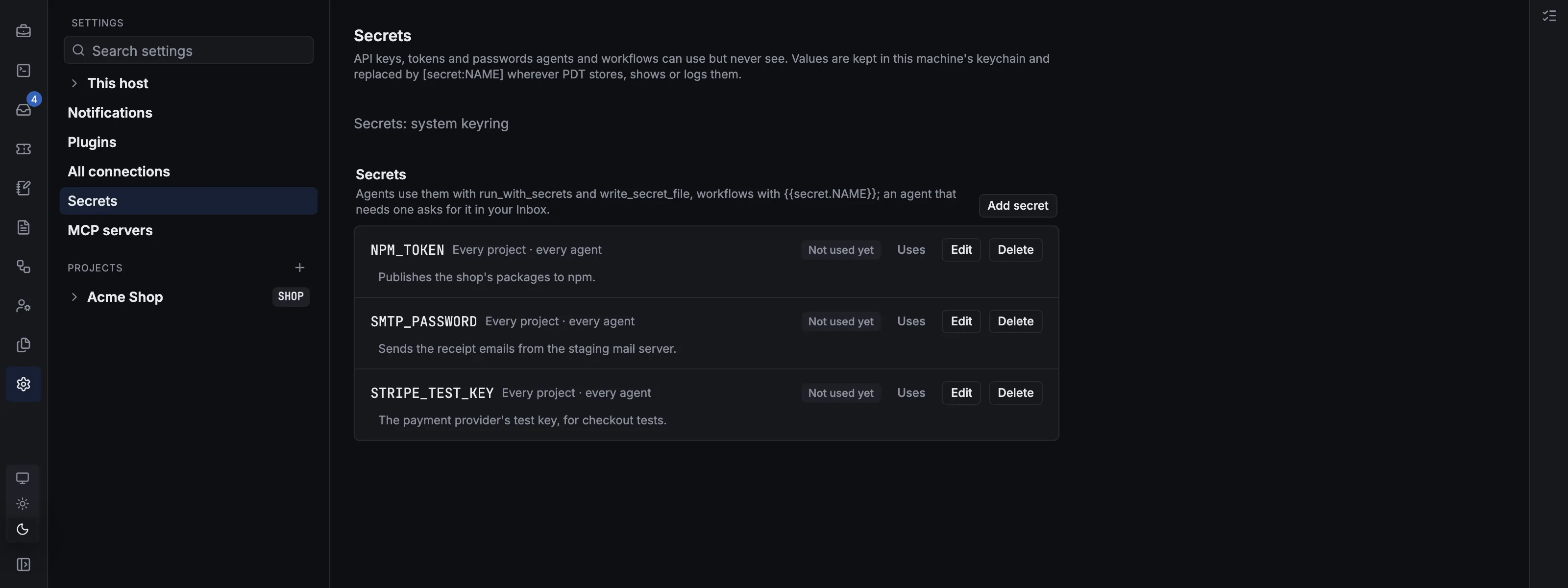
  • Secrets agents never see. Kept in your keychain and used by name; PDT puts the value in only where it's needed, and hides it wherever it stores, shows or logs text.
  • Outside issues and PRs kept untrusted. The agents that read them are locked down, their text reaches them as data, never instructions, and only you can make their tickets agentic.
Settings, Secrets: three secrets kept in the system keyring, each with what it's for and who may use it, and none of their values.
// runs locally

Your machine, your subscriptions.

PDT is a small daemon on your own computer, not a cloud service. Your code, tickets and history stay on your disk, and your agents run with your own logins.

  • A daemon, not a cloud. It answers on 127.0.0.1, and your repositories never leave your disk.
  • Your subscriptions. PDT runs the agents' official CLIs with your own logins: no resold tokens, no middleman.
  • Updates with rollback. Each release is checked against its checksums, health-checked once installed, and rolled back with your data as it was if it fails.
  • macOS, Windows and Linux. PDT starts when you log in, with a tray icon to open, update or restart it.

Hire your dev team.

Free and open source. Bring your own agents.

curl -fsSL https://pdt.dev/install.sh | sh

Apple silicon or Intel. Installs into ~/Applications and starts at login. Or download it.

curl -fsSL https://pdt.dev/install.sh | sh

x86_64 or aarch64, glibc 2.35 or newer. Installs into ~/.local/opt/pdt as a systemd user service. Or download it.

irm https://pdt.dev/install.ps1 | iex

In PowerShell. Installs for you only, without admin rights, and starts at login. Or download it.